
UX/UI design
Smart Blender
Experienced cooks and beginners need different things from the same blender. A touchscreen replaces the control dial, offering two modes: Easy and Pro. Beginners receive guidance as they build their skills.
- 01A blender for two different users
- 02Making the blender approachable without a front-mounted dial
- 03The interface is the function
- 04A contemporary appliance
- Type
- Competition
- Sector
- Small appliances
- Status
- Concept
01
A blender for two different users
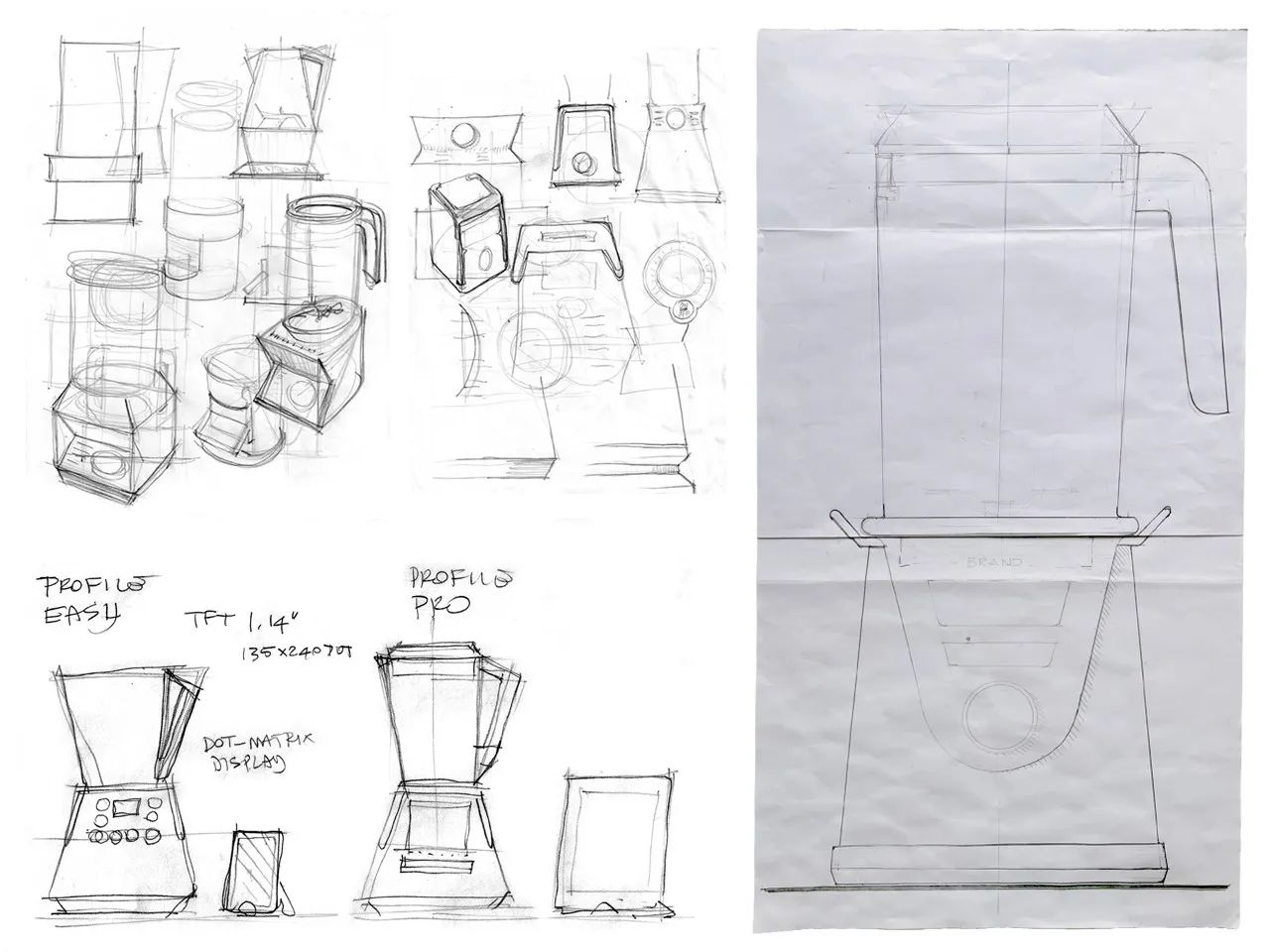
The competition brief called for a blender aimed at young people with two different user profiles. It felt particularly relevant: people today often seem to fall into one of two camps, cooking like a chef or ordering dinner in. The brief ruled out the large front-mounted dial normally used to control blade speed. With the overall arrangement fixed — motor below, jug above — we sought a control that would work for both groups while allowing beginners to develop their skills.
02
Making the blender approachable without a front-mounted dial
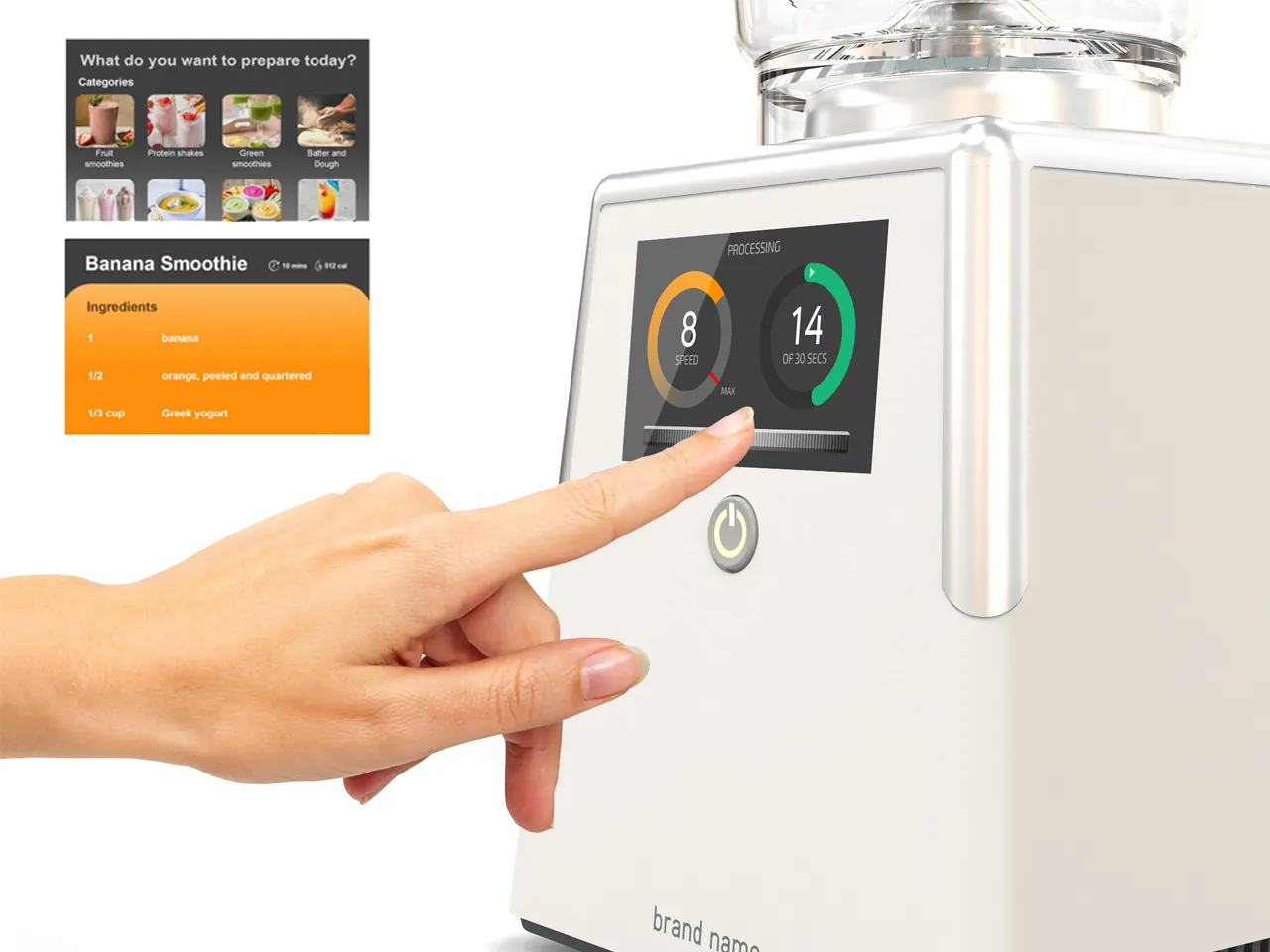
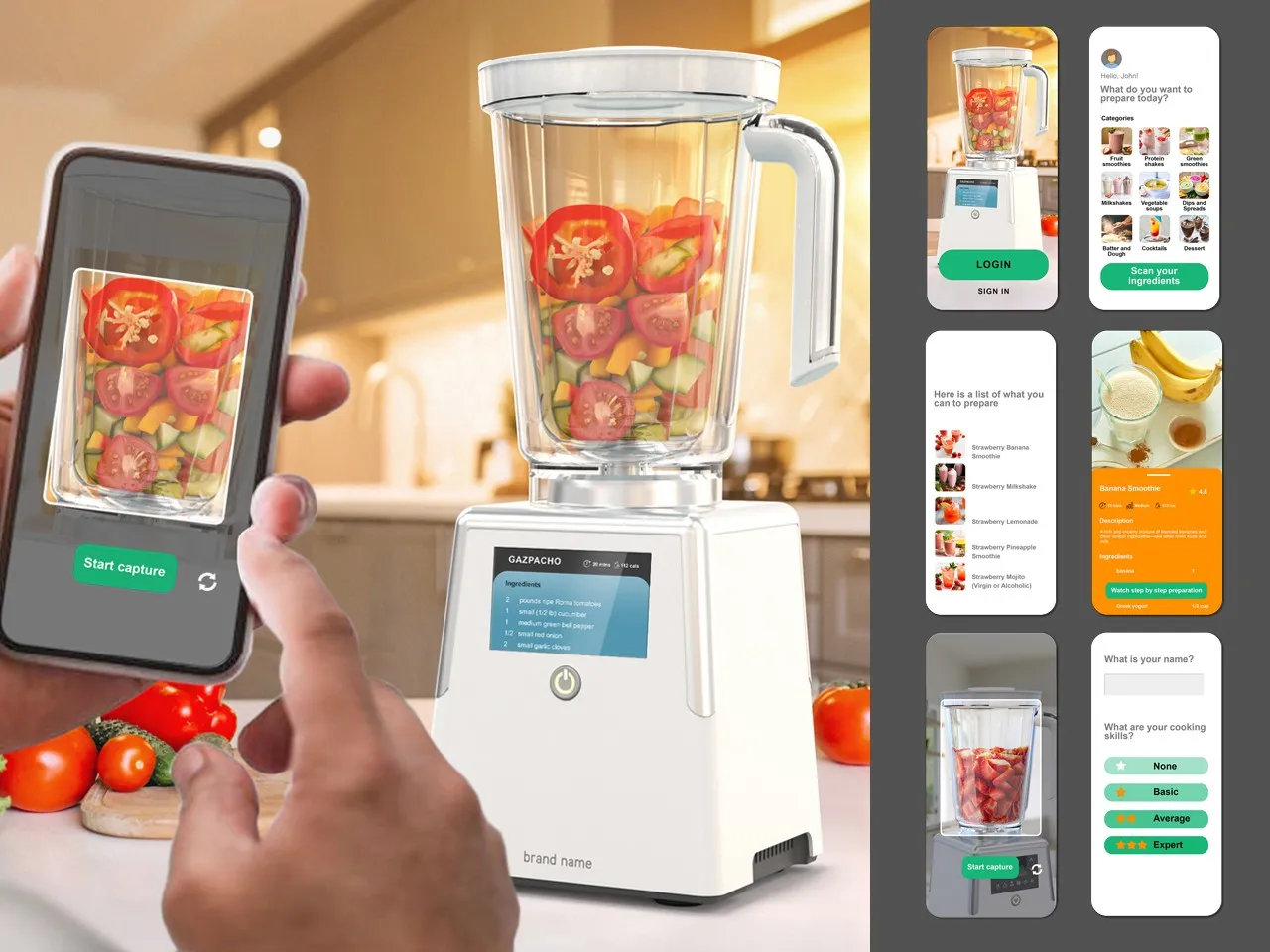
Removing the dial proved to be the key. A rotary control can feel like a barrier, suggesting a product intended for people who already know what they are doing. Without it, the blender feels more approachable. The solution became a capacitive touchscreen with two modes. In Easy, users select a recipe and receive step-by-step guidance, supported by a proposed app that uses the camera to identify ingredients on the worktop or in the fridge and suggest a recipe and quantities. In Pro, an on-screen slider with haptic feedback controls blade speed, encouraging those who start in Easy to develop their cooking skills.
03
The interface is the function
A purely digital interface was new territory for the studio. Designing icons, colours and menus in detail made us see the interface in another way. It is not an accessory to the function, nor an operating function in the strict sense: it is where using the object begins, and what makes it a pleasure to use. Adding AI functions for the visual recognition of ingredients further confirmed this research.
04
A contemporary appliance
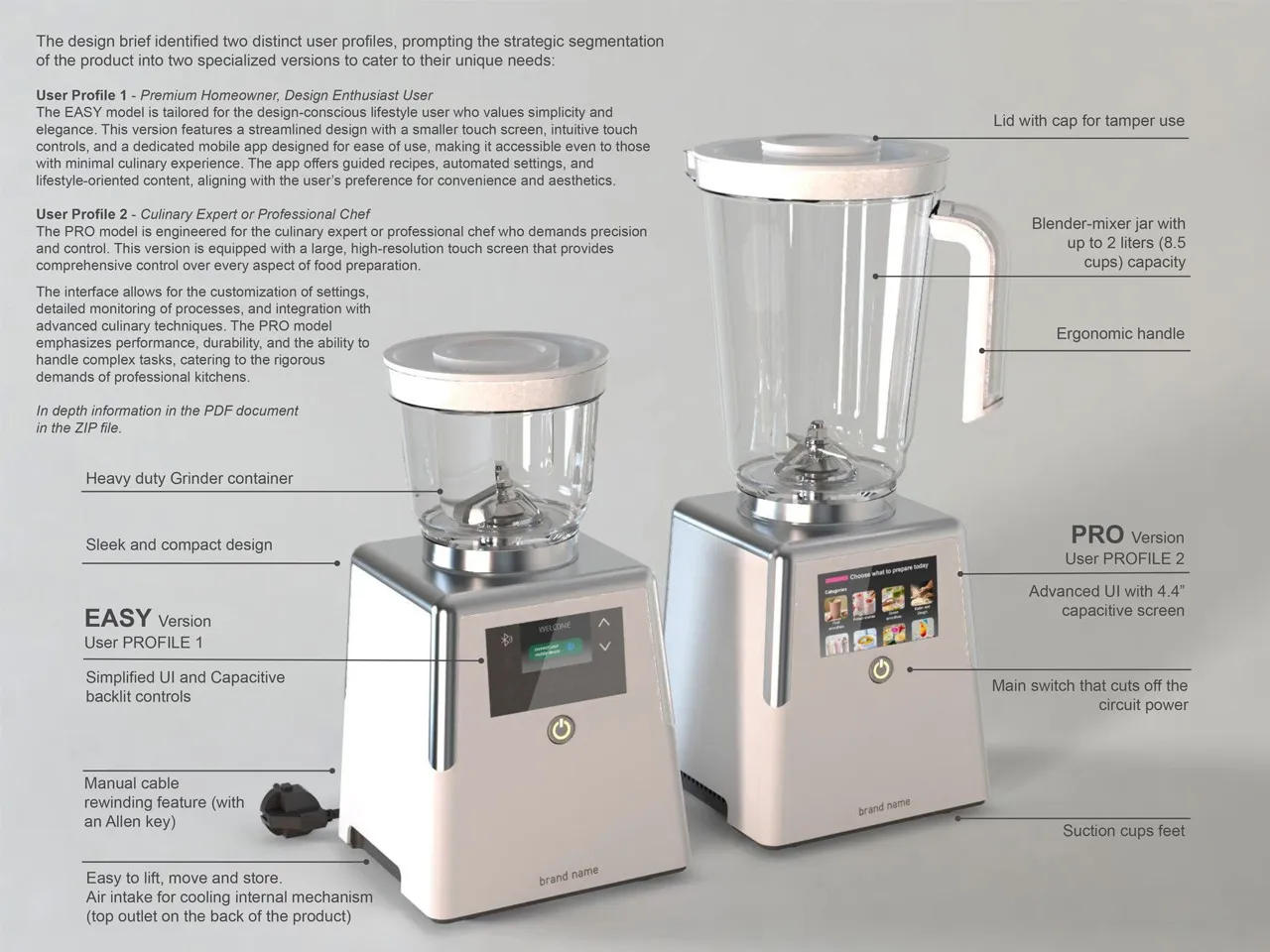
The research resulted in a product whose digital touchscreen interface accommodates two distinct but not mutually exclusive user profiles.
Where it can lead
Digital technology and AI work alongside the needs of use and the functions of food preparation.